


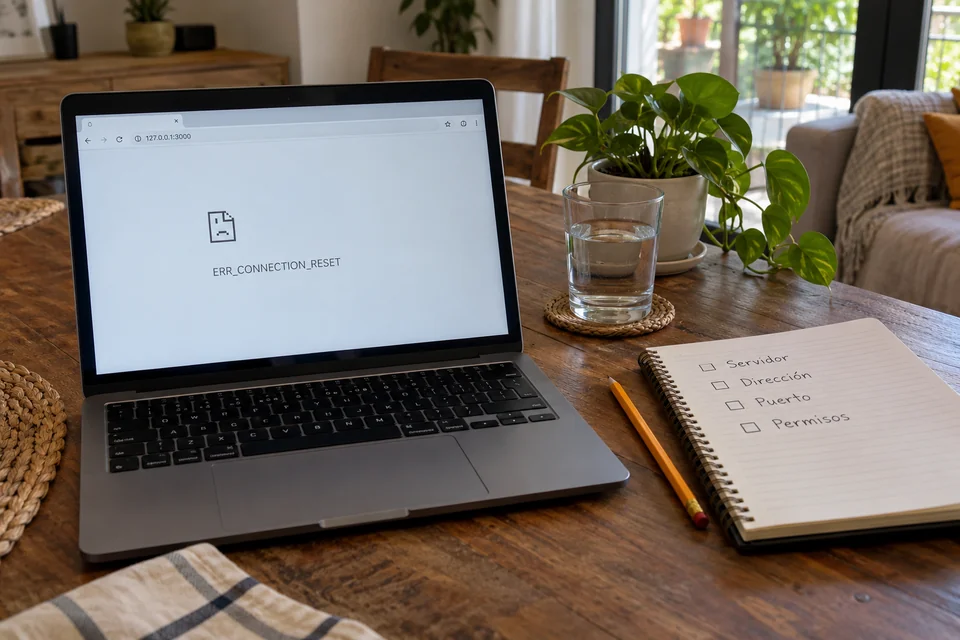
Codex finishes a phase of the prompt and opens the local test. You expect to see your page, but ERR_CONNECTION_RESET appears. Before deleting files or repeating all the work, it is advisable to pause: that message describes an interrupted connection, it does not prove that the project is faulty. If you're starting to develop with AI, separating the access failure from the operation of your application will help you ask for useful checks and preserve what already works.
1. What ERR_CONNECTION_RESET means and why investigate it
The Chromium project network error list identifies CONNECTION_RESET as a connection reset. This is different from a connection refused or a timeout. The browser text, by itself, does not identify what caused the problem: there may be a process that is interrupted or an intermediary that cuts off the communication.
A local test is not the entire session
A preview failure does not necessarily mean that Codex has lost contact with its service. A local address can point to your project's development server. Checking that destination avoids changing accounts, models or settings that may not be involved. The benefit is practical: fewer unnecessary changes and a diagnosis that someone else can reproduce.
2. Basic audit: checklist before touching the code
Ask Codex to review a single phase and retain the entire message. If it mixes startup, navigation, and validation in a single response, it becomes difficult to know where the process stopped. Start with these checks:
- Identify which action failed: starting the server, opening the address, or running the test.
- Check that the process is still active and review its latest messages.
- Compare address, protocol and port between the server and the browser.
- Repeat only the failed check, recording the result without modifying other variables.
This address is illustrative; the real port is indicated by your project:
http://127.0.0.1:3000/Localhost refers to the environment from which the request is made. If the browser and server are in different environments, they may require a specific connection or forwarding. Don't change the server to make it public as an automatic solution: first clarify where each tool runs.
3. Useful tools, common mistakes and common questions
Terminal, logs and permissions: each one answers something different
The server logs allow you to check if it started or ended with an error. The browser shows which address you tried to open. If curl is available, an informational check can request the headers with a maximum time:
curl -I -m 5 http://127.0.0.1:3000/The curl documentation explains both options. The example does not repair anything: it helps you observe a response. An HTTP code such as 404 or 405 confirms an HTTP response, even if it does not validate the page. A connection failure requires further investigation; five seconds is not a universal rule.
The OpenAI official documentation on permissions and security distinguishes environment limits and approvals. A restriction may prevent a test, but you should not assume that it explains any reset. Request the specific permission needed, without disabling protections globally.
Restart, change port or repeat the prompt?
- Restarting may help if the process is stuck, but save messages first.
- Changing ports only makes sense if there is a confirmed port conflict or configuration issue.
- Repeating the entire prompt can repeat changes and hide the point of failure.
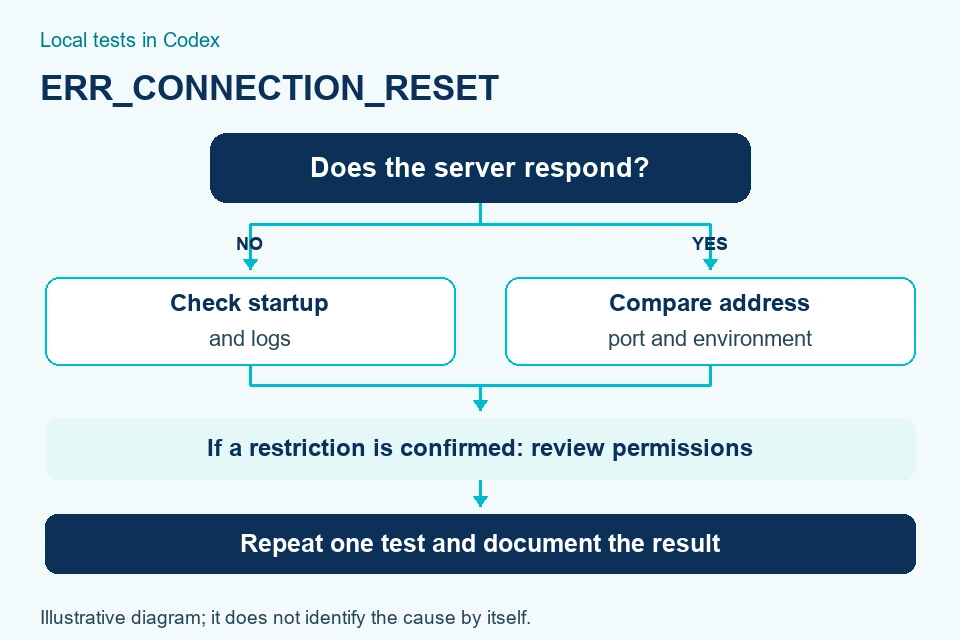
Before summarizing, use this sequence to decide the next step:
- If the server is not active, check its startup and the specific error.
- If the server responds from another tool, compare the environment and address used.
- If there is a documented block, request narrowly scoped approval and check again.
- If the issue persists, share reproducible steps and scrubbed logs, without passwords or tokens.
A useful test preserves context: what version of the project was tested, what command was running, and what output appeared. If you change code, network and browser simultaneously, you will not know later what influenced it. Also do not post captures of sessions with personal data. Comparing before and after helps distinguish a one-off recovery from a behavior that you can repeat under equivalent conditions and with comparable results.
These checks reduce uncertainty, but do not guarantee a cause or repair. Change one variable at a time and differentiate between "not executed", "failed" and "checked". To understand how to organize assisted tasks, see our explanation on agentization.

4. Conclusions
ERR_CONNECTION_RESET interrupts a connection; it doesn't automatically explain why it happened or invalidate previous work. Confusing that signal with a broken project usually adds changes without evidence.
Start with the server and address, continue with the environment and permissions, and repeat a small test. Documenting what was observed allows progress without presenting a pending verification as validated.
If you need to organize your tests and develop with AI thoughtfully, request a proposal from LabIA Agency. We will review the context and scope before proposing an intervention, without promising a universal solution.